Twitch Adblock in 2026: Why Your Ad Blocker Stopped Working and What Still Does
Something changed on Twitch, and your ad blocker is the proof. The extension that cleared every pre-roll in 2021 now sits there while a full ad plays anyway. You did not break your setup. Twitch changed how it delivers ads, and the old blocking methods were built for a system that no longer exists. In 2021, the common advice was that blockers could only hide Twitch ads, not truly stop them. That was accurate then. It is the wrong problem now. Today the ad is baked into the same video stream you came to watch, which is a far harder thing to pull out. This guide covers what actually happens when you open a stream in 2026, which workarounds still function and what they cost you in effort, whether paying is the smarter move, and why the streamers you watch are not much happier about Twitch ads than you are.
Why your old Twitch ad blocker now shows the ad
Twitch no longer serves ads from a separate source your blocker can recognize. A standard ad blocker works by spotting requests to known ad servers and cancelling them before the ad loads. The whole thing comes down to where the ad lives:
- On most of the web: the ad and the content come from different places, so the blocker drops one and keeps the other.
- On Twitch in 2026: they come from the same place. The ad arrives inside the live video feed itself, so blocking it means blocking the stream.
If you want the background on how blockers identify and cancel ad requests in the first place, inStreamly has a clear breakdown of how ad blockers work. The Twitch-specific twist is what makes the standard approach fail.
What is server-side ad insertion, and why does it beat blockers?
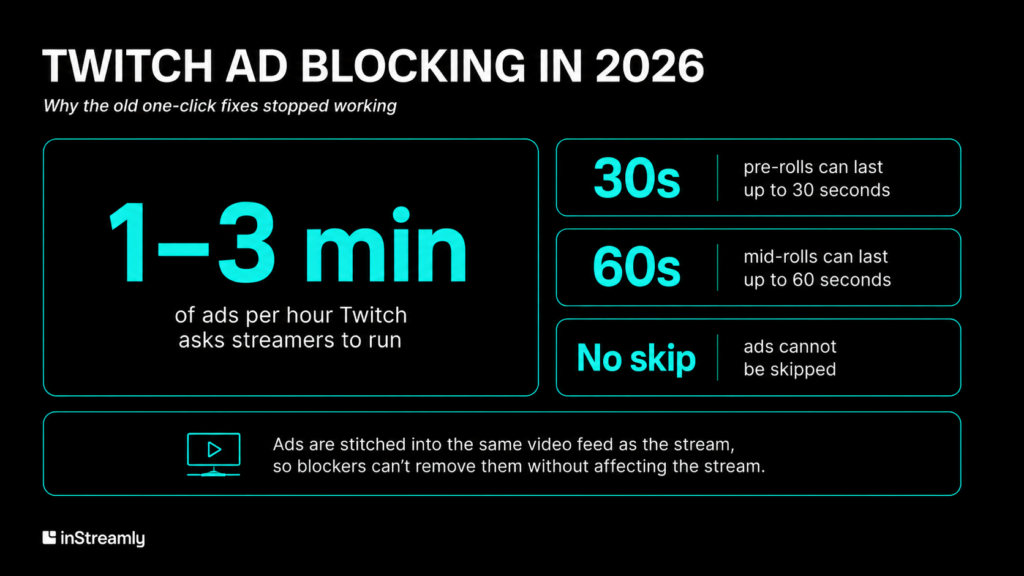
Server-side ad insertion, or SSAI, is Twitch stitching the ad directly into the same video feed as the stream, on its own servers, before anything reaches your browser. Because the ad and the broadcast share one delivery path, a blocker cannot separate them without cutting the stream too. Twitch has used this approach, branded SureStream, since 2016, but it became the default model between 2020 and 2022 and tightened further from late 2023.
The practical result is breaks that are more frequent and harder to escape:
- Pre-rolls: a few seconds up to 30, before the stream even starts.
- Mid-rolls: up to 60 seconds, dropped into the broadcast.
- Frequency: Twitch asks streamers to show one to three ad minutes per hour.
- No skip: none of it can be skipped unless you pay or subscribe.
The system was rebuilt specifically so that the easy client-side block no longer has anything to grab.
What broke in 2025 and 2026
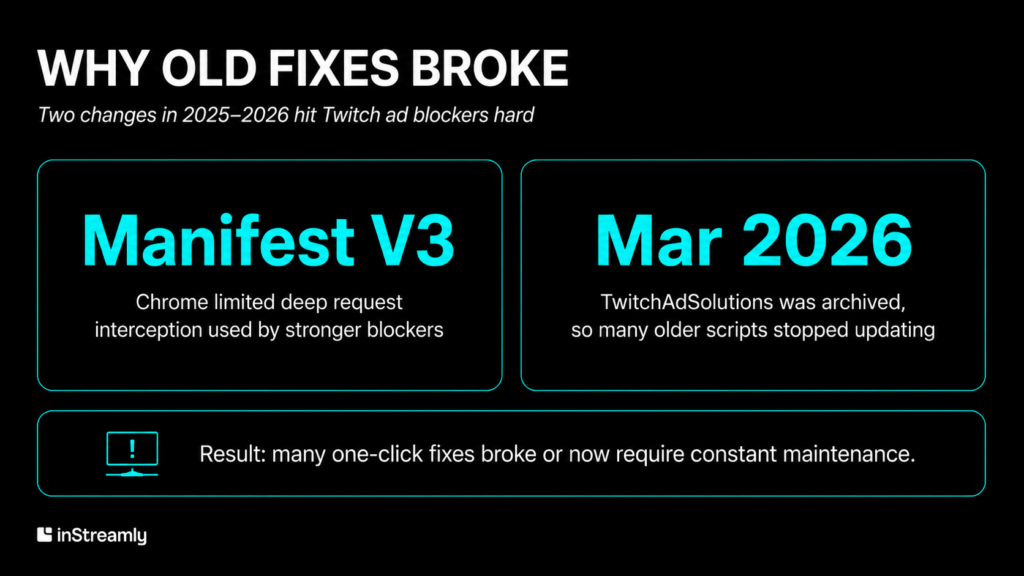
Two changes in the last year hit ad blockers hard, and both are outside your control:
- Manifest V3: Google’s Chrome update limited the deep request interception that the strongest blocking extensions relied on, weakening them across Chrome and other Chromium browsers.
- TwitchAdSolutions archived: the community hub behind most Twitch-specific fixes was archived in March 2026. Many older Reddit threads and how-to posts now point to scripts that no longer update.
If your blocker quietly stopped working this year and you could not find a fix that lasted, this is usually the reason.
Which Twitch ad blockers still work in 2026?
A few still work, but none reliably for long. Your options, in rough order of how little effort they take:
- TTV LOL Pro: the most used choice. A proxy-based extension that routes the stream request through ad-free servers. Covers live ad breaks, but not banner or video-on-demand ads.
- Brave aggressive mode: blocks at the browser-engine level, which Twitch’s detection scripts find harder to flag.
- VPN to a low-ad region: a server in a smaller ad market often means fewer mid-rolls.
- Streamlink: skips the web player entirely and runs the stream in a separate media player.
The catch is fragility. Twitch can change one value on its servers and break these tools for a day or two until the maintainers catch up. The one-click era is over. Blocking Twitch ads in 2026 is ongoing maintenance, not a single install you forget about.
Is Twitch Turbo or a channel sub the simpler fix?

For most viewers, yes. Paying removes the arms race entirely. The three routes:
- Twitch Turbo: removes pre-roll, mid-roll, and banner ads across the whole platform, with only rare SSAI exceptions. Now $11.99 a month in the US, up from $8.99 in May 2024.
- Channel subscription: removes ads on that one channel.
- Prime Gaming: includes one free channel sub each month through Amazon Prime.
The trade is money against effort. One detail makes the paid route easier on the conscience: when you watch with Turbo or a subscription, the streamer is still paid as if you had sat through the ads.
Why streamers are not thrilled about Twitch ads either
It is easy to assume streamers love ads because ads pay them, but most have a complicated relationship with the system:
- The split is still 50/50. A better 70/30 rate exists through Partner Plus, but it is gated behind paid-subscriber milestones that exclude Prime and gifted subs, and only a small share of partnered streamers clear the bar.
- Forced pre-rolls cost viewers. They can lose a channel its audience in the first seconds, before anyone decides to stay, which works against discovery.
- More ads for a better rate. Twitch nudges creators to run more ads in exchange for a higher cut, putting their income in direct tension with their viewers’ patience.
Smaller creators carry most of that tension, because they have the least room to negotiate and the most to lose when a new viewer bounces off a pre-roll.
Ads that fit the stream do not need blocking
Here is the part both sides miss: viewers do not block ads because they hate brands, they block ads because they hate interruption. The inStreamly Live Streaming Trends 2025 data shows both halves of that at once:
- 79% of Twitch viewers already see in-stream brand presence as a way to support the creators they watch.
- 64% of stream viewers still run ad blockers.
The two figures only look contradictory until you separate the format from the message. An ad that stops the stream gets blocked. A brand moment that is part of the stream does not, because there is nothing separate to remove and nothing interrupted to resent.
That is the model inStreamly is built on: contextual campaigns that react to what is happening on stream, picked by the streamer, shown without a forced break. The proof is in how viewers respond when the format fits:
- Cheetos ran a game inside the streams themselves, and viewers asked for a sequel.
- T-Mobile tied a phrase to live moments, and streamers and chat repeated it more than 10,000 times on their own.
No blocker fires on either, because neither is the kind of ad anyone wants to skip.
The takeaways
- Blocking got harder by design. SSAI puts the ad inside the stream, and Manifest V3 plus the loss of community scripts broke most older fixes. What still works needs constant upkeep.
- Paying is the clean exit. Twitch Turbo or a channel sub removes ads without the maintenance, and the streamer gets paid either way.
- The friction was never the ad, it was the break. The audiences that block hardest are also the ones that welcome brands when the format respects the stream instead of stopping it.